AI Sound Design: Type a Sound, Get a Synth Patch
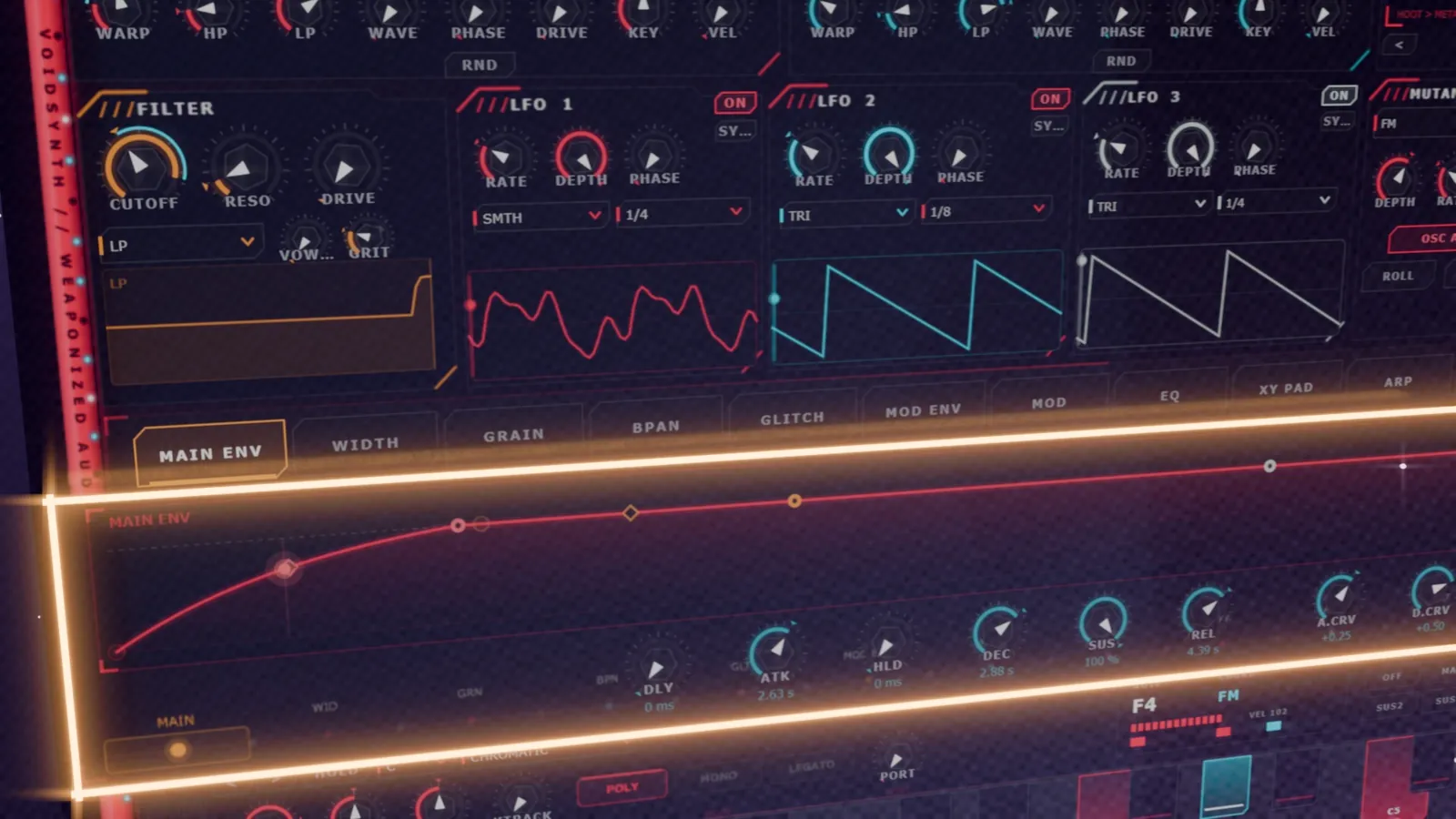
I typed one line into a synthesizer: "screaming acid lead". A second later it was playing one. Ladder filter set to scream, tube drive, glide between the notes. I hadn't touched a single knob.
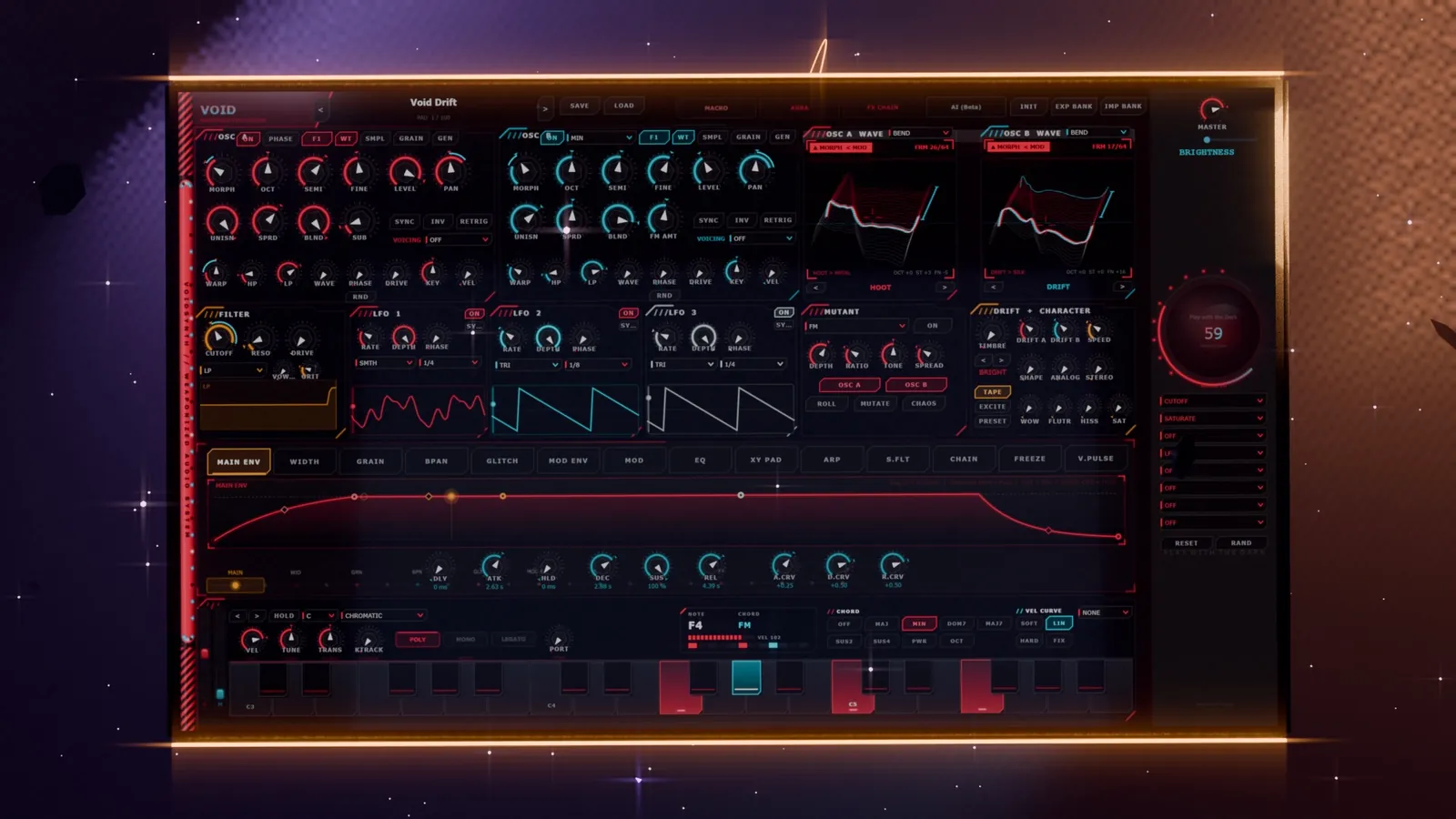
That is AI sound design in 2026. Not a robot writing your song, but a synth that finally understands what you mean when you describe a sound. This guide explains how text-to-synth AI works, why it changes sound design for good, and the endless possibilities it opens up, using our own AI synth, VoidSynth, as the working example.
What Is AI Sound Design?
AI sound design means using machine learning to create or shape sounds from a description instead of from scratch. For a synthesizer, that description is usually text. You type what you hear in your head, and the AI sets the oscillators, wavetables, filter, envelopes, modulation and effects to match.
The key word is patch. A good AI synth doesn't hand you a frozen audio file. It hands you a normal synth preset made of real parameters, so the sound plays from your keyboard, follows your MIDI, and every knob still works. You keep full control. The AI just removes the slowest part of the job: getting from a blank init patch to something worth tweaking.
AI sound design vs AI music generation: tools that generate whole songs give you rendered audio you can't open up. A text-to-synth engine gives you an instrument. One replaces the producer; the other gives the producer a faster set of hands.
How Text-to-Synth AI Works
Under the hood, every text-to-synth system answers the same question: which parameter values make a sound that matches these words? In VoidSynth that happens in two stages.
Stage 1: words to core parameters
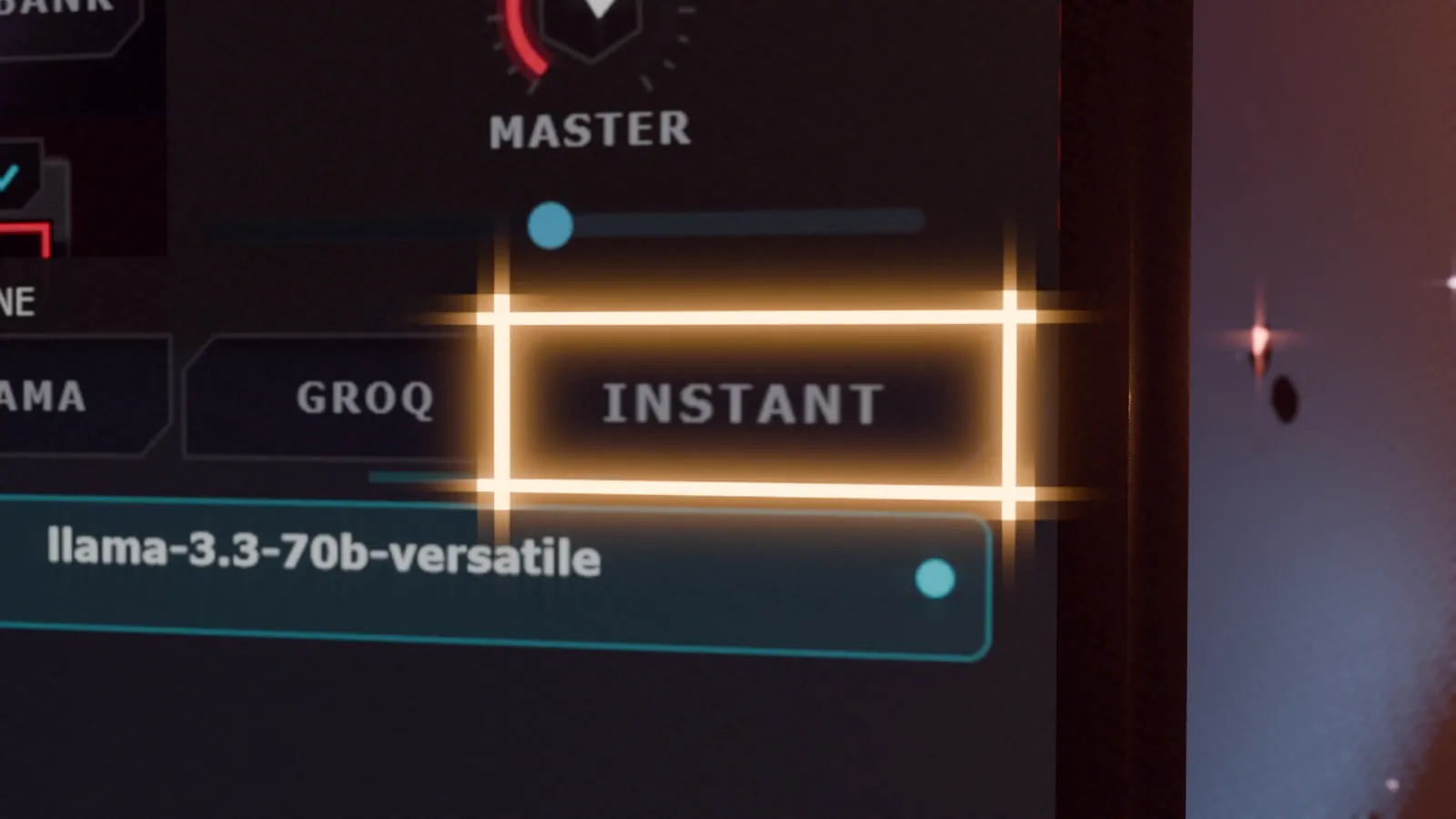
VoidSynth's INSTANT engine is a neural network that lives inside the plugin. It reads your prompt and maps it onto 73 core parameters: oscillator waves and wavetables, filter type and cutoff, envelopes, unison and more. Because the model runs locally, there is no internet connection, no API key and no waiting on a server.
Stage 2: the intent engine reads between the lines
Producers don't describe sounds in parameter names. They say "glitchy", "huge reverb" or "arp at 126 bpm". VoidSynth's intent layer catches those ideas and builds the parts a plain parameter model would miss:
- "glitchy" wires up LFOs and the mod matrix
- "arp" programs the arpeggiator, including rate and tempo
- "huge reverb" or "ping pong delay" builds the effects chain
The result is a complete, playable patch with modulation and FX, not just a static oscillator setting.
From Prompt to Patch: A Real Example
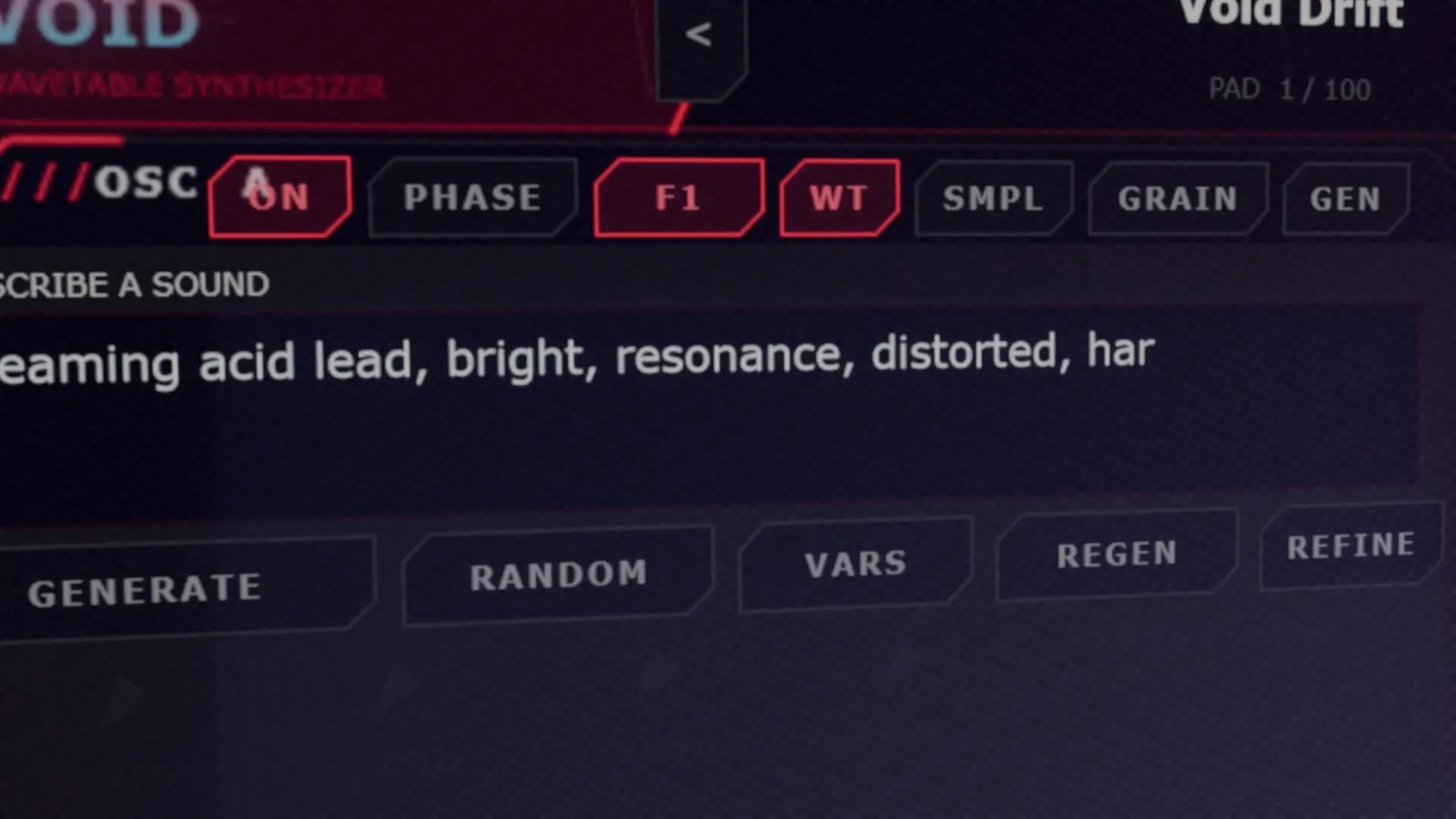
Here is the exact prompt from our video:
One click on GENERATE produced a ladder-style filter pushed into resonance, tube drive, and mono glide between the notes: the classic acid recipe, built from a sentence. Nothing in the patch was edited afterwards.
The Endless Possibilities of AI Sound Design
Faster presets are nice. What makes AI sound design revolutionary is what happens to your workflow once the blank page disappears.
1. Nine directions from one idea
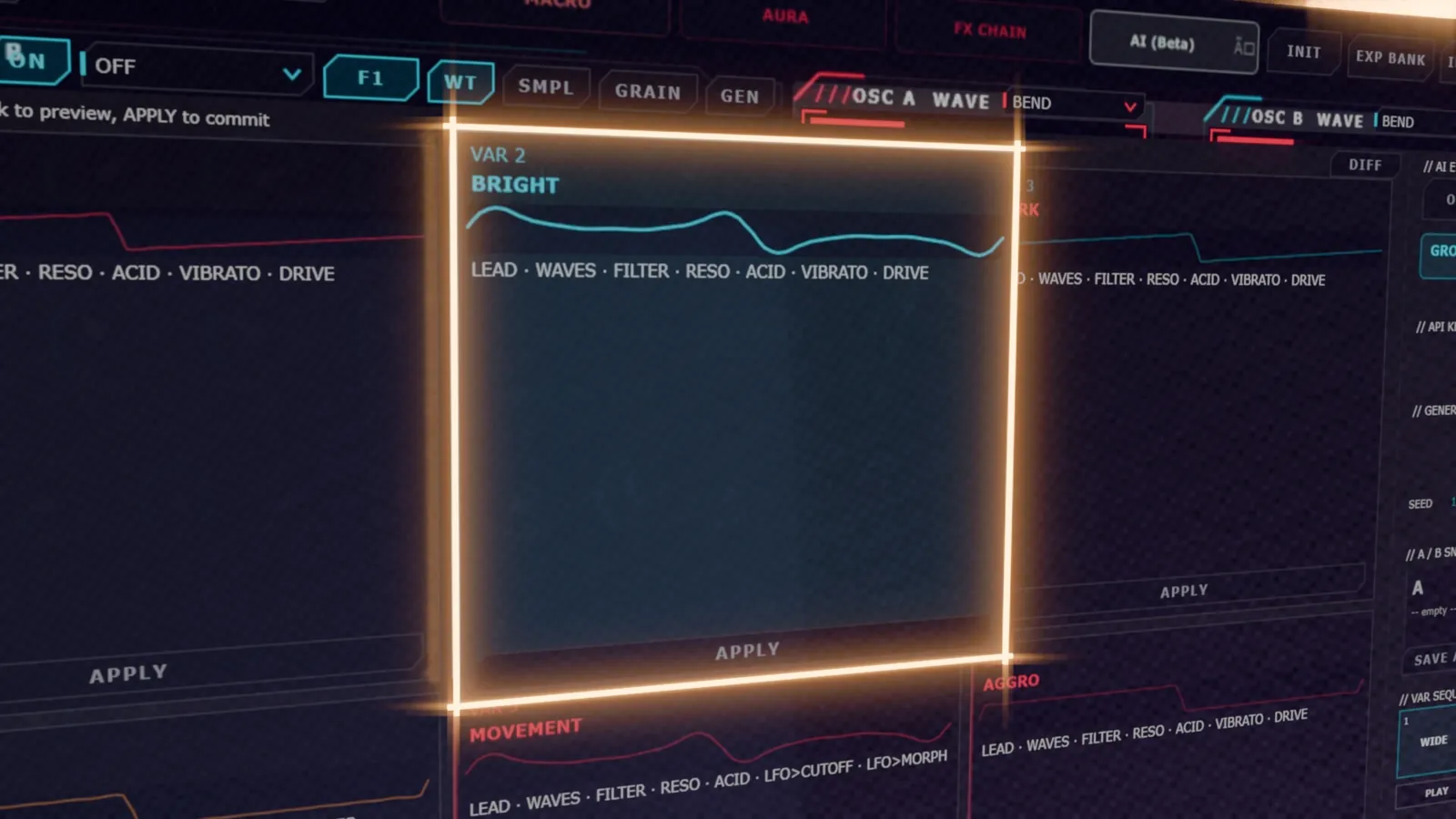
Hit VARS and INSTANT spins up nine variations of the patch at once: brighter, darker, wider, more movement, more aggressive, minimal, complex and vintage. Click any card to audition it. It is like having a sound designer hand you a mood board of your own sound.
2. Edit a sound in plain English
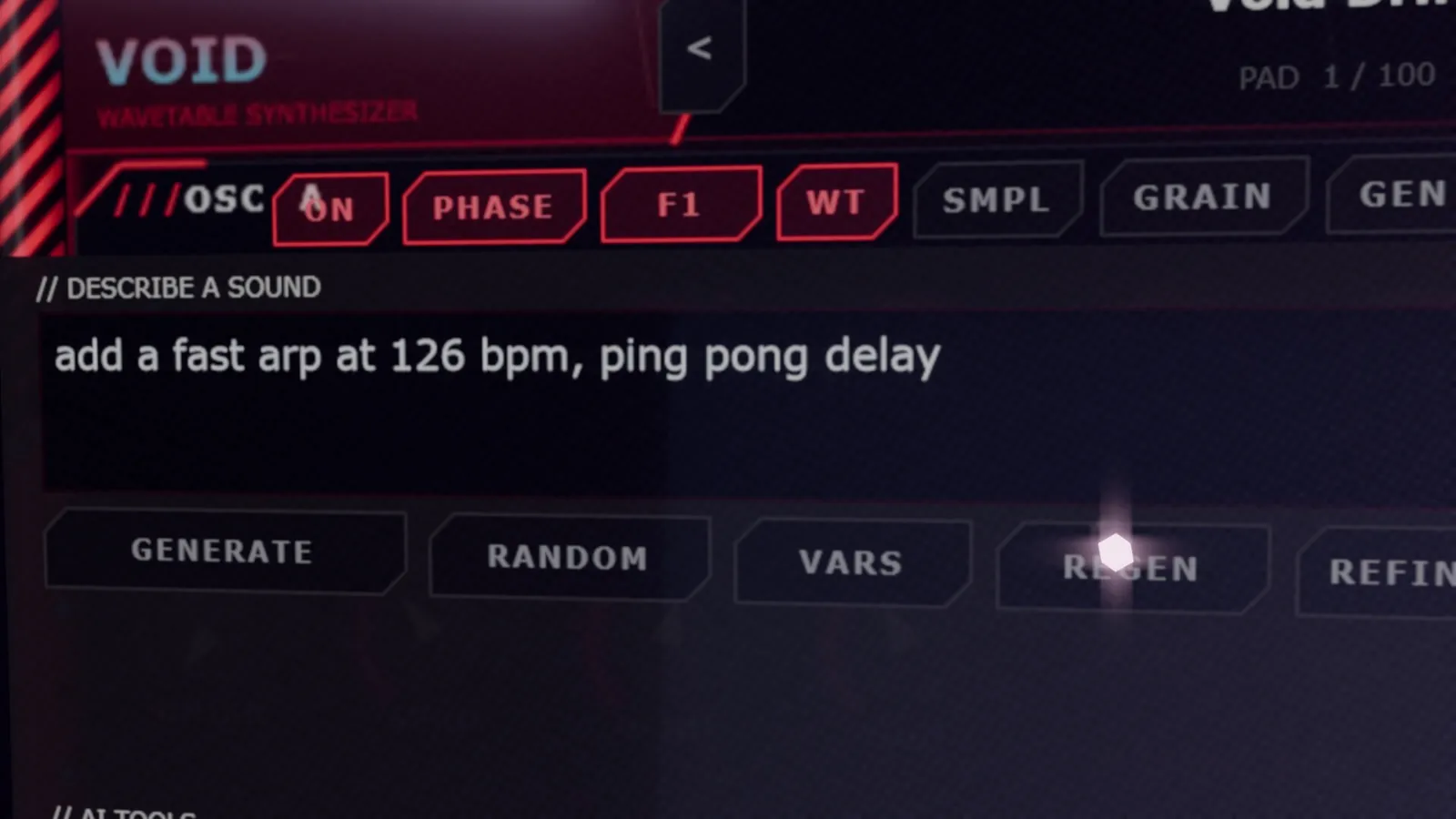
REFINE changes the patch you already have instead of starting over. In the video we take a glassy bell pluck and type "add a fast arp at 126 bpm, ping pong delay". Same sound, brand new behavior. This is where AI sound design starts to feel like a conversation.
3. Genres you've never programmed
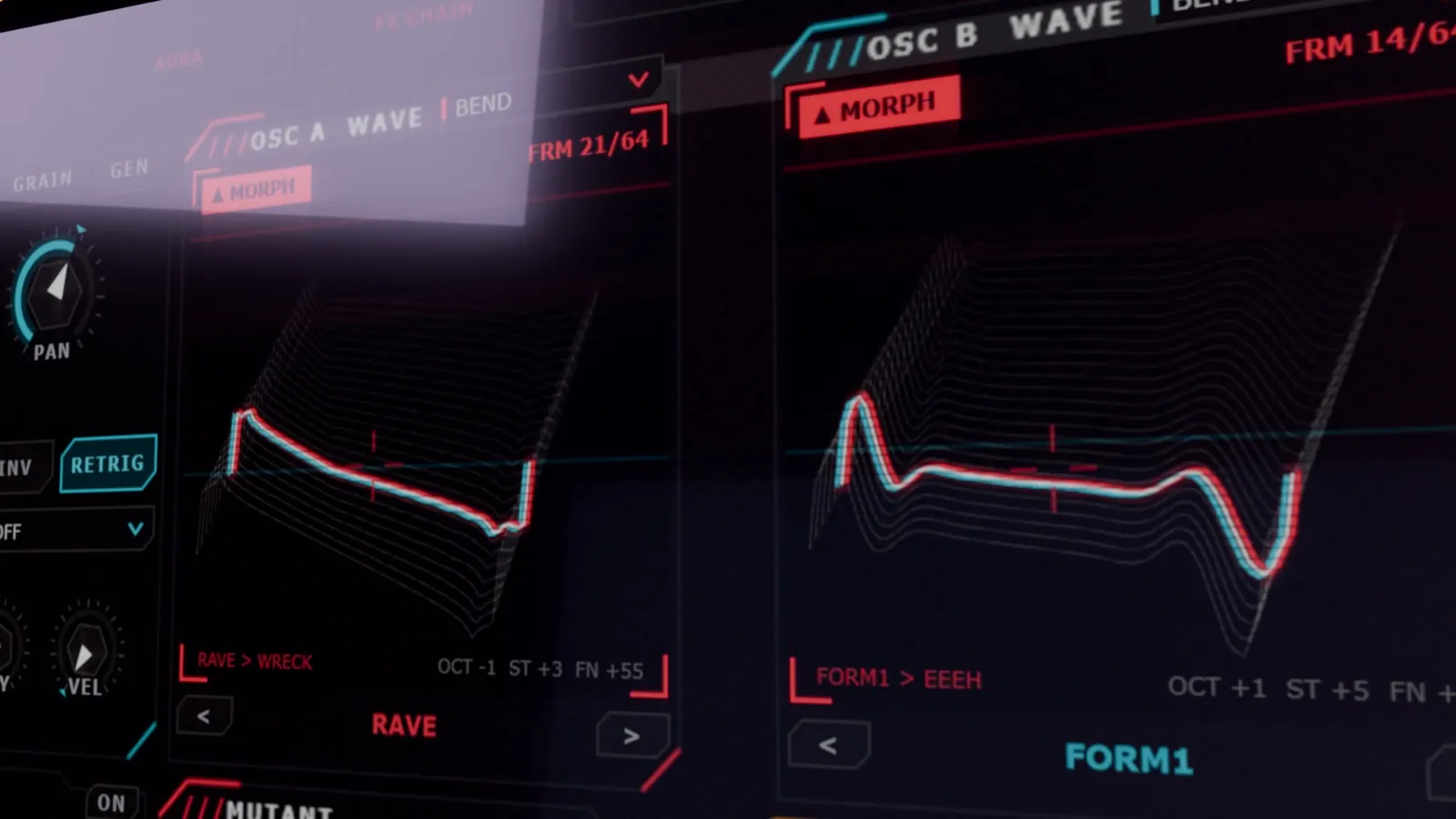
Never built a dubstep wobble? A psy arp? A rave stab? You don't need the recipe anymore, just the words. In our five-prompt test, heavy wobble bass, huge supersaw lead, aggressive distorted saw lead, hypnotic psy arp and huge rave stab each became a usable sound with zero tweaking. That turns genre exploration from a weekend tutorial into a few seconds of typing.
4. Sounds that don't have a name yet
Combine words nobody puts together: "glassy, broken, warm, underwater". A human designer would rarely try that parameter combination. An AI will, and some of the most interesting timbres come from exactly those collisions. VoidSynth's wavetable, sample and granular engines give the AI a wide palette to collide them on.
5. Control stays with you
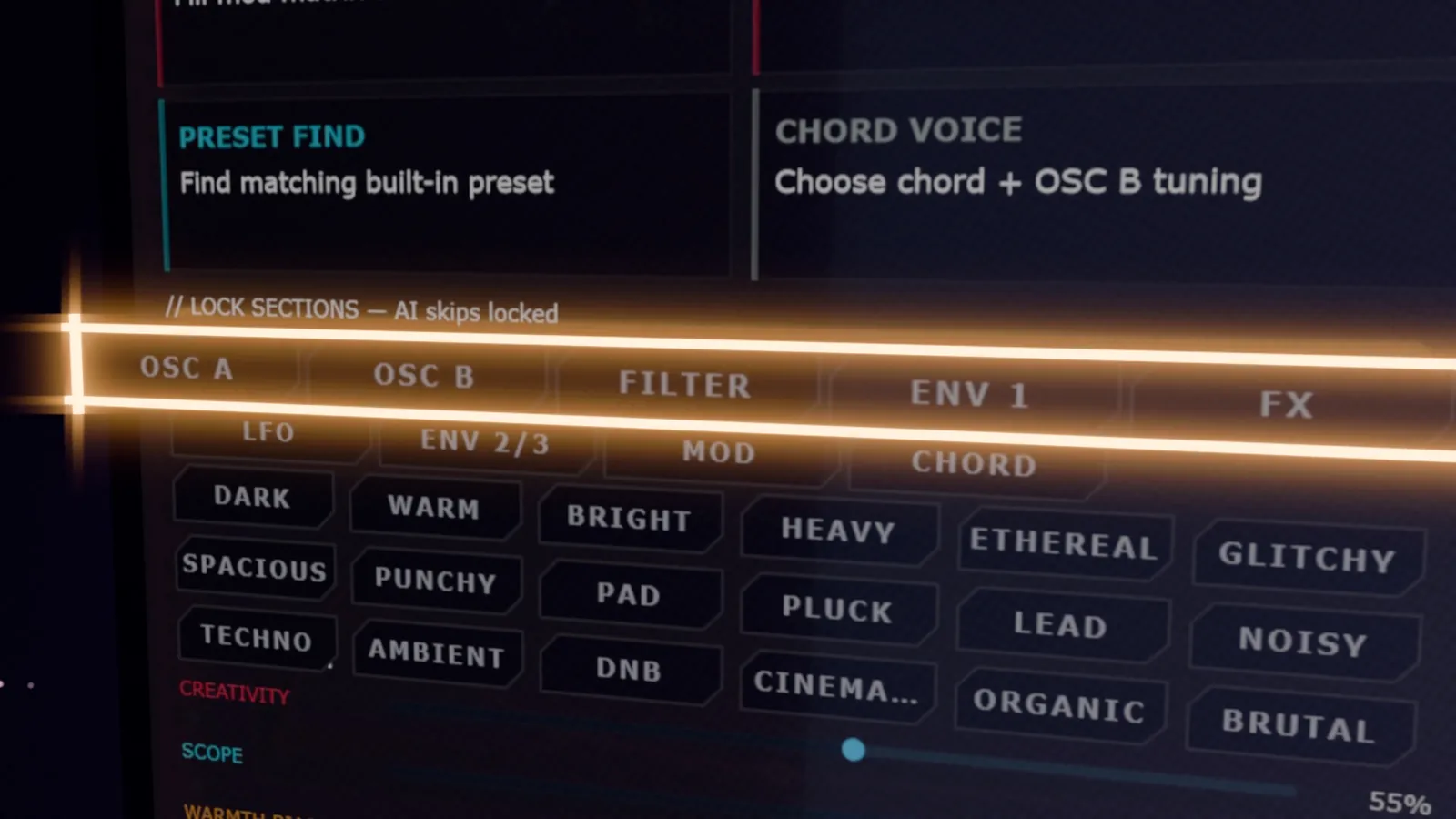
The fear with AI tools is losing the wheel. VoidSynth goes the other way. Lock any section and the AI leaves it untouched. Lock the seed to repeat a result, or roll a new one. Stuck for words? RANDOM writes a prompt for you, and the 18 mood tags stack right on top.
6. Sounds that evolve with your track
Drop four variations into the VAR SEQUENCER, hit play, and VoidSynth morphs from one patch to the next right on the bar. That is a performance tool no preset browser can match: your sound designs itself in time with the music.

AI Synth Plugins in 2026: Where Text-to-Synth Stands
Text-to-patch is one of the fastest-moving ideas in music software right now. A few approaches you'll see:
| Approach | Example | What you get |
|---|---|---|
| Prompt add-on for an existing synth | Sonic Charge PhenoType for Synplant 2 (KVR) | Editable patches for one synth engine |
| Web or cloud text-to-synth | Fadr SynthGPT, SynthPilot | Generated sounds, often with an online step or subscription |
| LLM co-pilot writing presets | Language models driving existing plugins | Flexible, but needs a model and an API |
| AI engine built into the synth | VoidSynth INSTANT | Offline generation, intent-aware modulation and FX, VARS, REFINE, locks and morphing |
Whichever you try, judge them the same way: does the patch sound good straight away, can you edit everything, and does it fit how you already work?
How to Write Prompts That Sound Good
- Start with the role. "bass", "lead", "pad", "pluck", "arp" or "stab" tells the AI what job the sound has in the mix.
- Add character words. bright, dark, warm, gritty, glassy, wide, hollow.
- Name the movement. "1/8 lfo", "slow evolving", "fast arp at 126 bpm".
- Name the space and FX. "huge reverb", "ping pong delay", "distorted".
- Add the genre last. techno, dubstep, trance, psytrance. It nudges everything else.
- Iterate, don't retype. Use VARS for options and REFINE for changes instead of starting over.
AI Sound Design FAQ
What is AI sound design?
Using machine learning to create or shape sounds from a description. In a synth, you type what you hear in your head and the AI sets the oscillators, filter, envelopes, modulation and effects to build a playable, editable patch.
Does AI sound design replace sound designers?
No. It removes the slow part, getting from a blank patch to a usable starting point. You still judge the result, tweak it and decide where it lives in the track.
Is a text-to-synth patch the same as AI-generated audio?
No. AI music generators render finished audio. A text-to-synth engine outputs synth parameters, so you get a normal patch that plays from your MIDI and responds to every knob.
Do I need internet or an API key for VoidSynth's AI?
Not for INSTANT, which runs inside the plugin. Ollama (local) and Groq (cloud, API key required) are optional extra engines.
Can I edit the patches the AI makes?
Yes, every parameter. You can also ask for nine variations with VARS or change the patch in plain English with REFINE.
Watch AI Sound Design in Action
Every synth sound in this 4.5-minute video was generated on screen by INSTANT from a text prompt, from the screaming acid lead to the five-prompt rapid fire and the var sequencer morph. No patch was edited by hand.
Describe it. Generate it. Play it.
VoidSynth is our AI-powered wavetable, sample and granular synthesizer. Join the waitlist for early access and launch pricing.
→ Explore VoidSynth & Join the Waitlist